How to shoot food videos using your smartphone
You don't need fancy equipment — just your phone, a stable tripod setup, a good light, and a piece of know-how.
How to shoot and edit viral food videos. Everything you need to create high-quality, viral cooking videos from scratch.
You don't need fancy equipment — just your phone, a stable tripod setup, a good light, and a piece of know-how.
Best practices for shooting a horizontal cooking video — from planning the first shot to capturing that final hero moment.
The video type that performs best on Facebook & Instagram Reels, YouTube Shorts, and TikTok.
A full recipe shot start to finish — using just one light, one camera, and one tripod. No fancy studio needed.
A clean, beginner-friendly workflow — importing footage, cutting clips, recording voice-overs, and exporting your final videos.
Camera, lighting, tripods, and accessories — choose what fits your budget and production goals.
Creating for YouTube, Facebook, Instagram, and TikTok? This approach saves time and gives you flexibility.
Schedule filming days that fit your life — stay focused, creative, and stress-free. Even with little time!
Make your cooking videos look professional. Capture mouthwatering footage. Create viral food videos.
These two factors make a big difference. We break it down and help you choose the best settings.
Get these settings right and your food will look mouthwatering on camera.
Optimize your files for editing, rendering, and sharing. How to choose the right combination.
3 popular cooking video styles — they will define how you frame your shots.
Frame your shots like a pro, elevate your visuals, and get your content ready for monetization.
How you position your camera shapes how your audience experiences your recipe — use every angle with purpose.
Facebook Content Monetization earnings from my 6 main pages — January 1st to May 31st, 2026 (5 months)
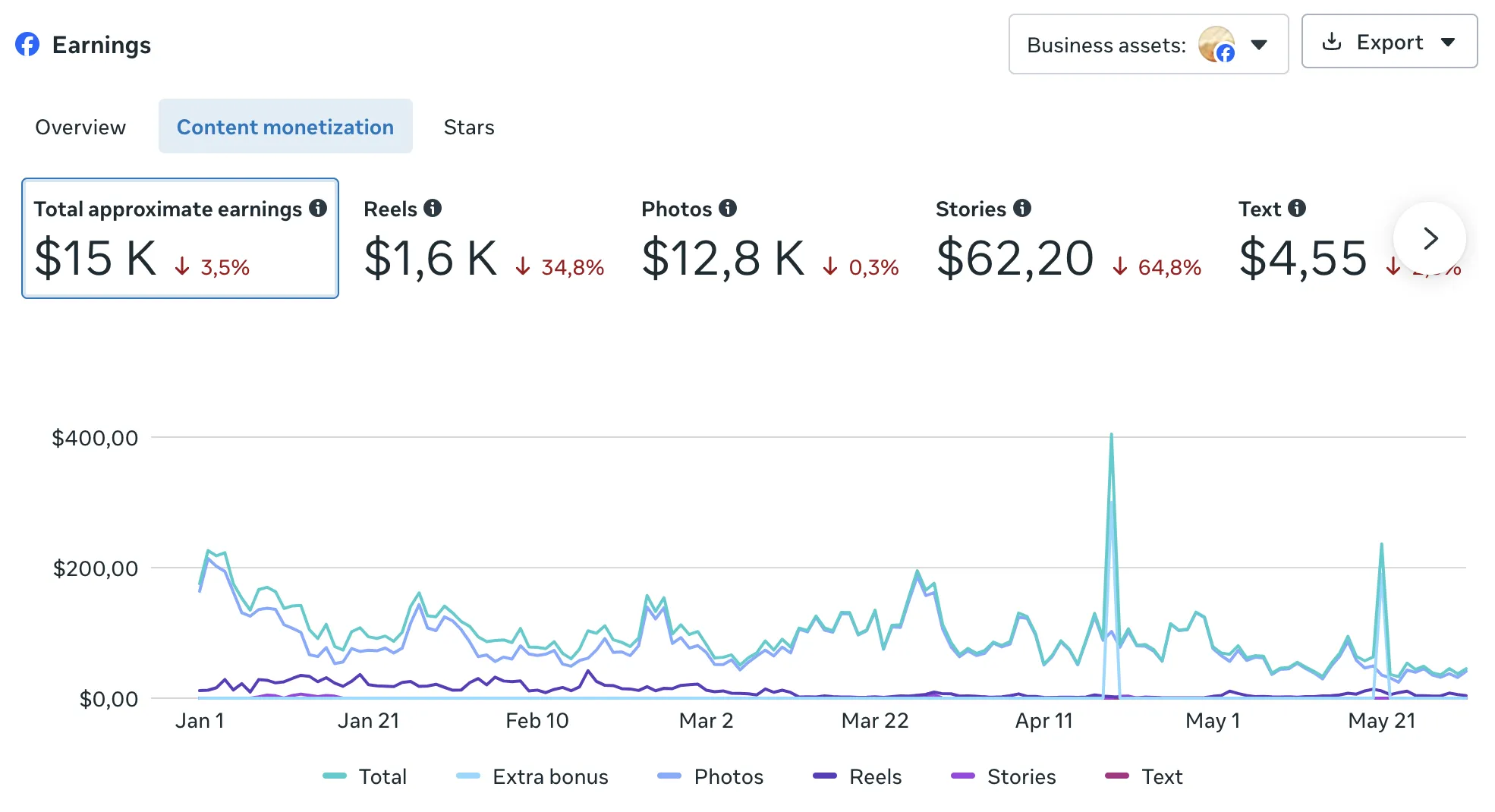
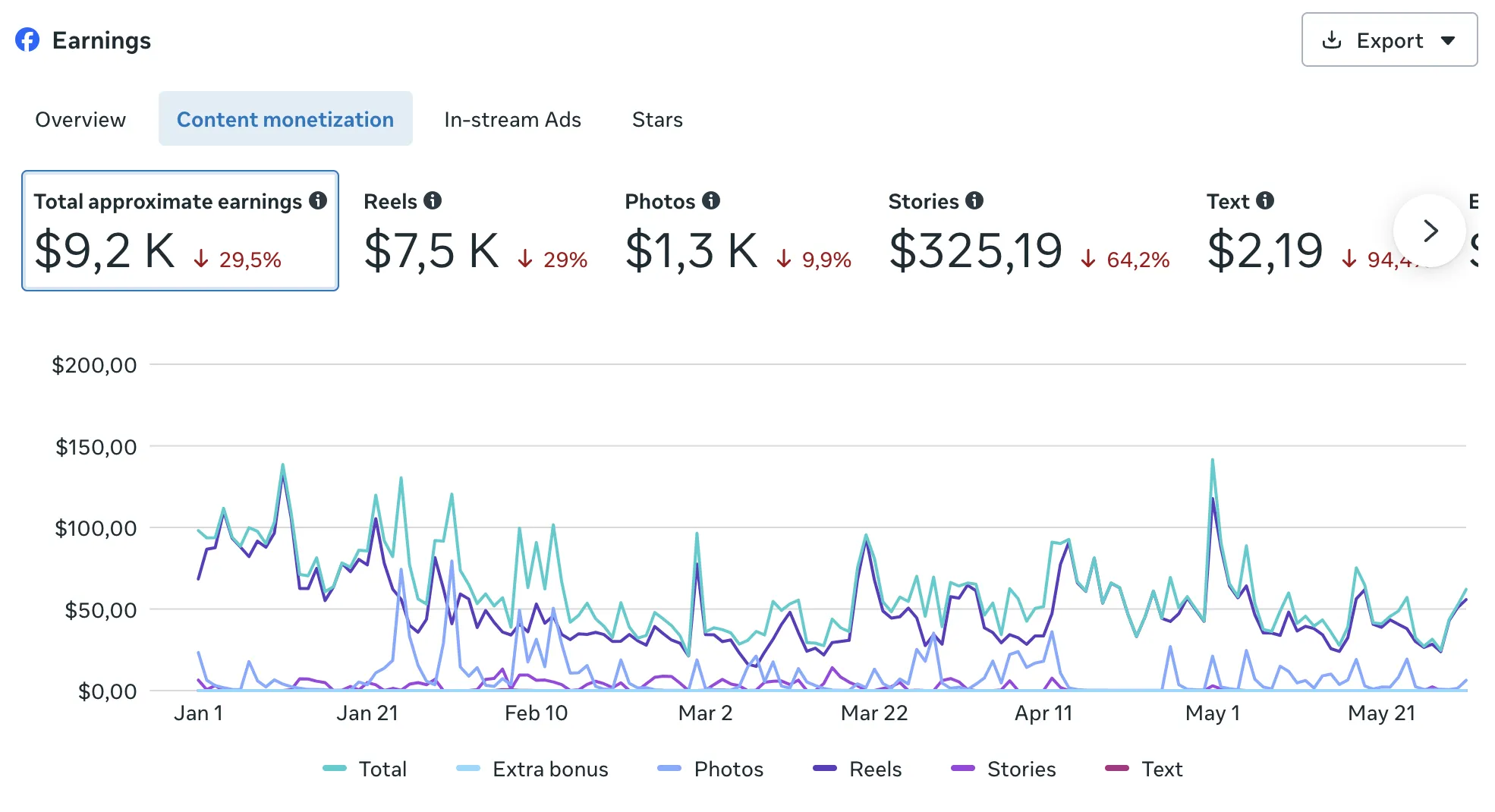
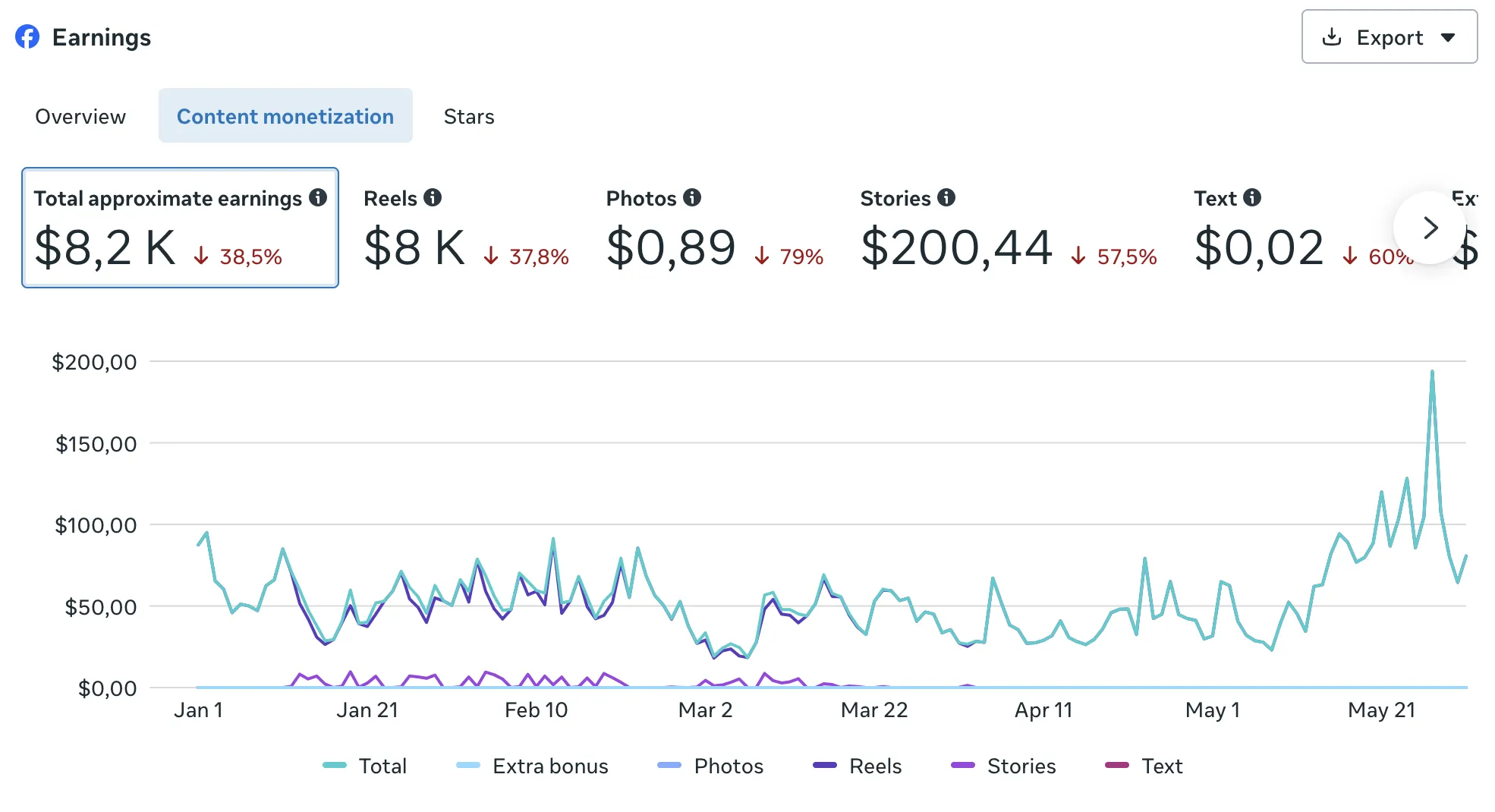
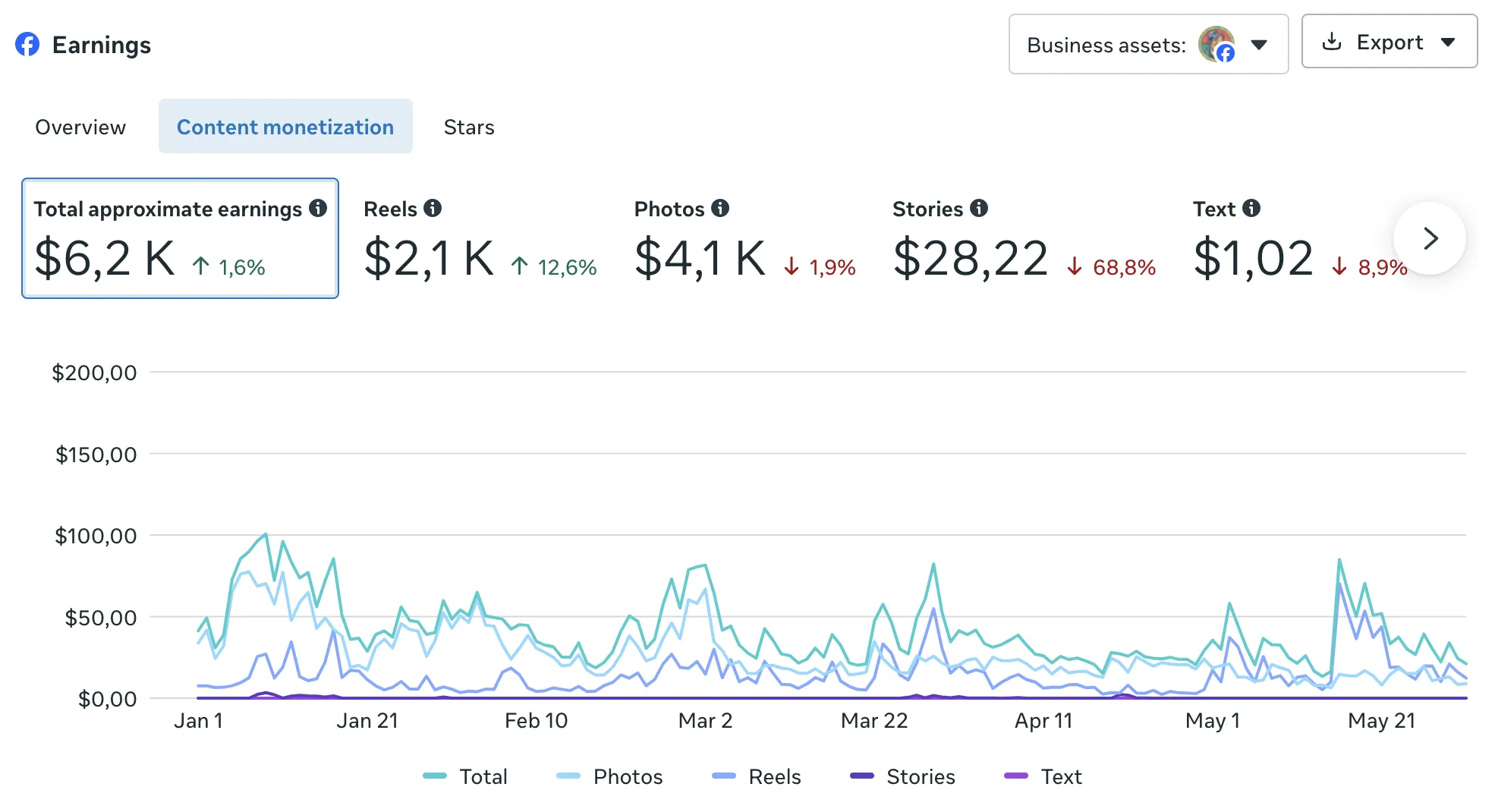
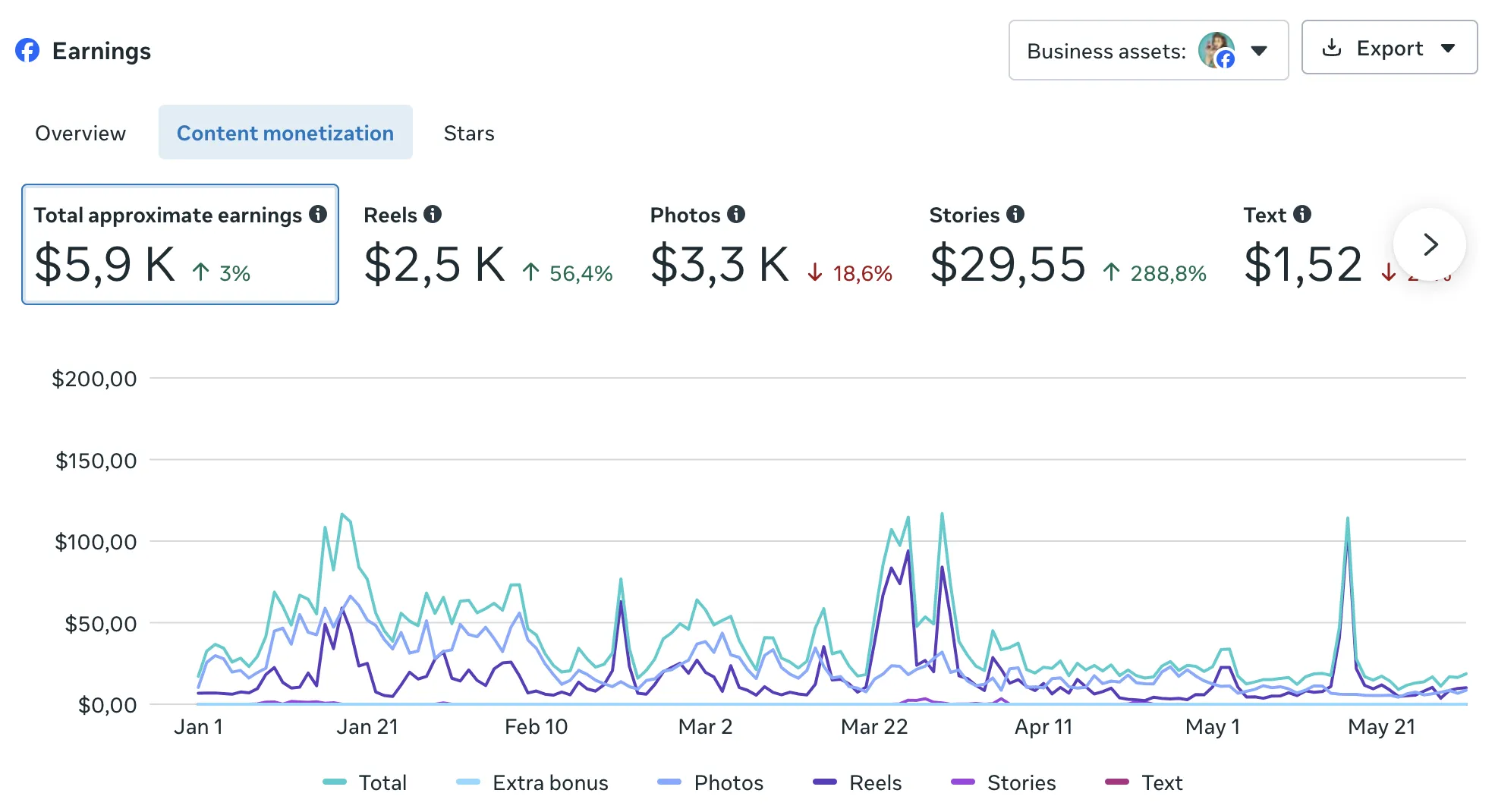
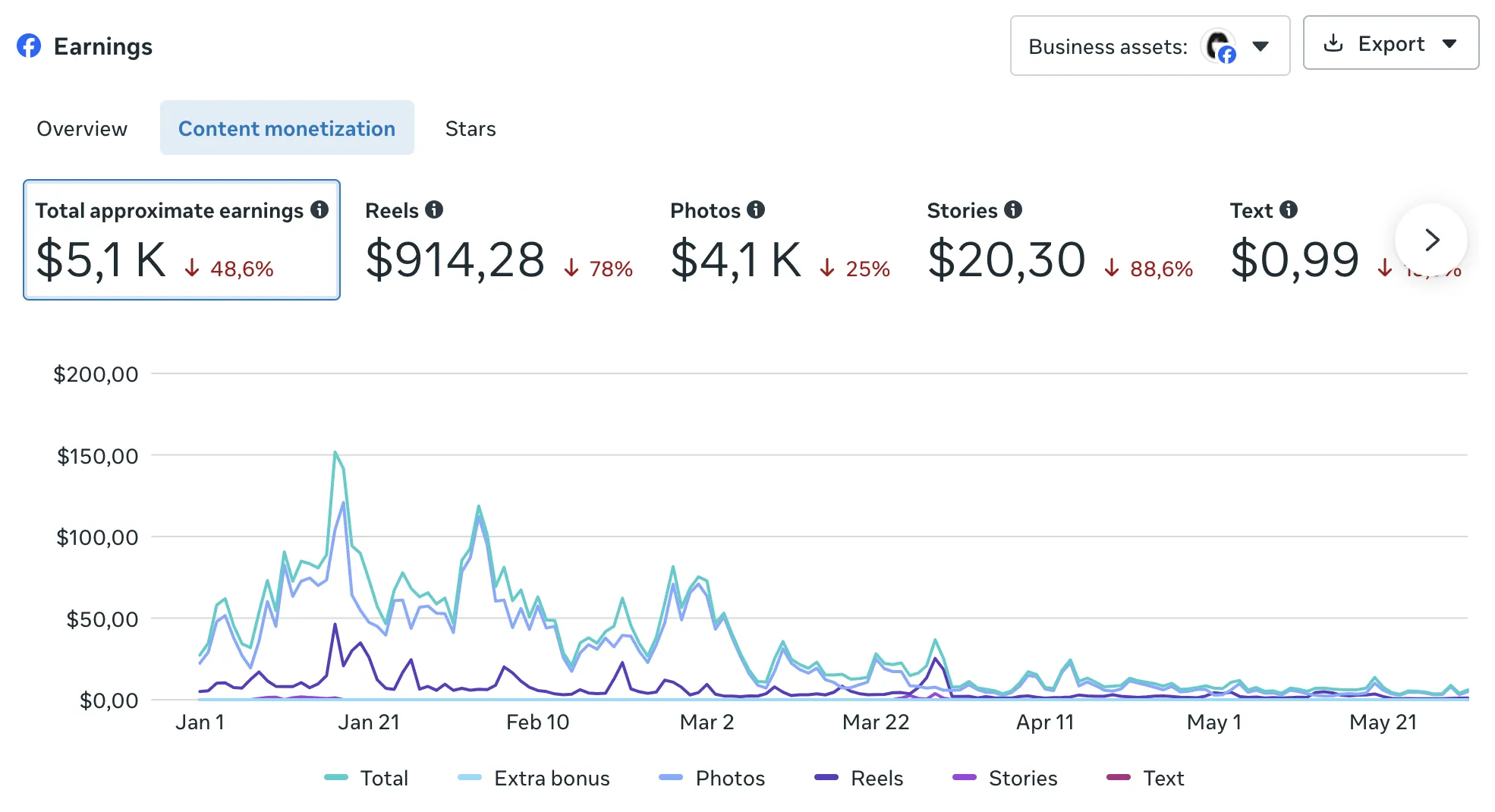
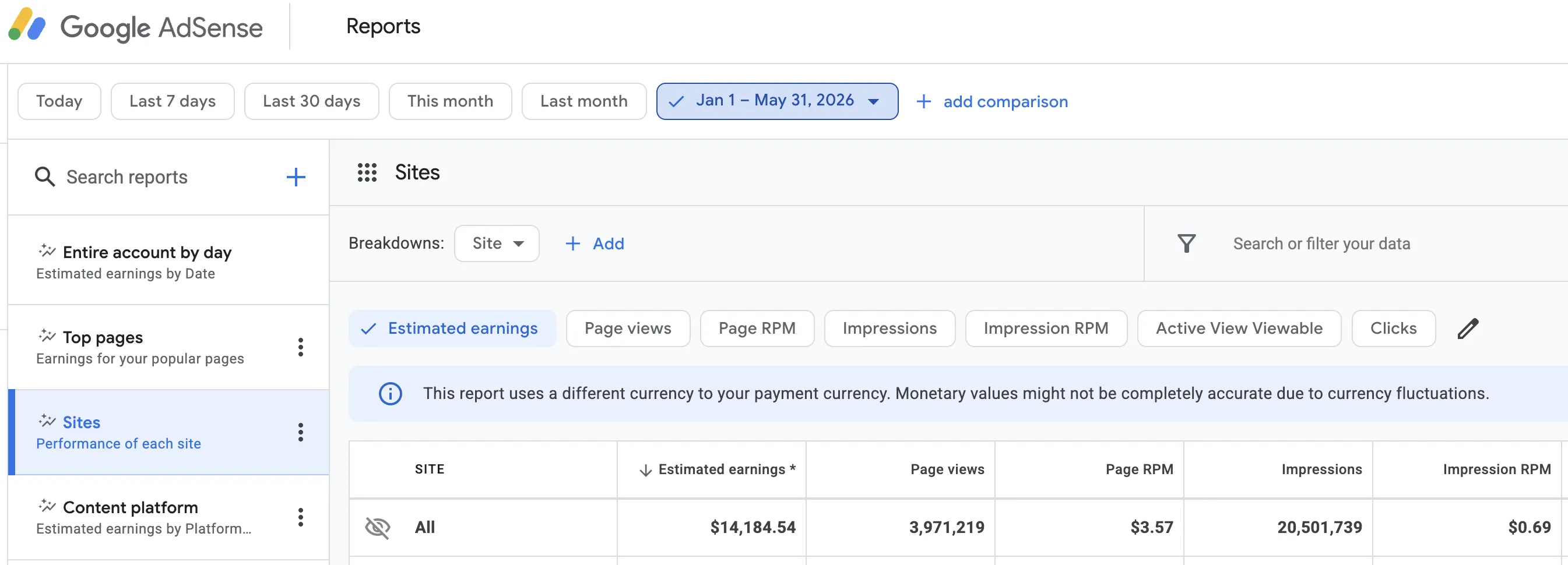
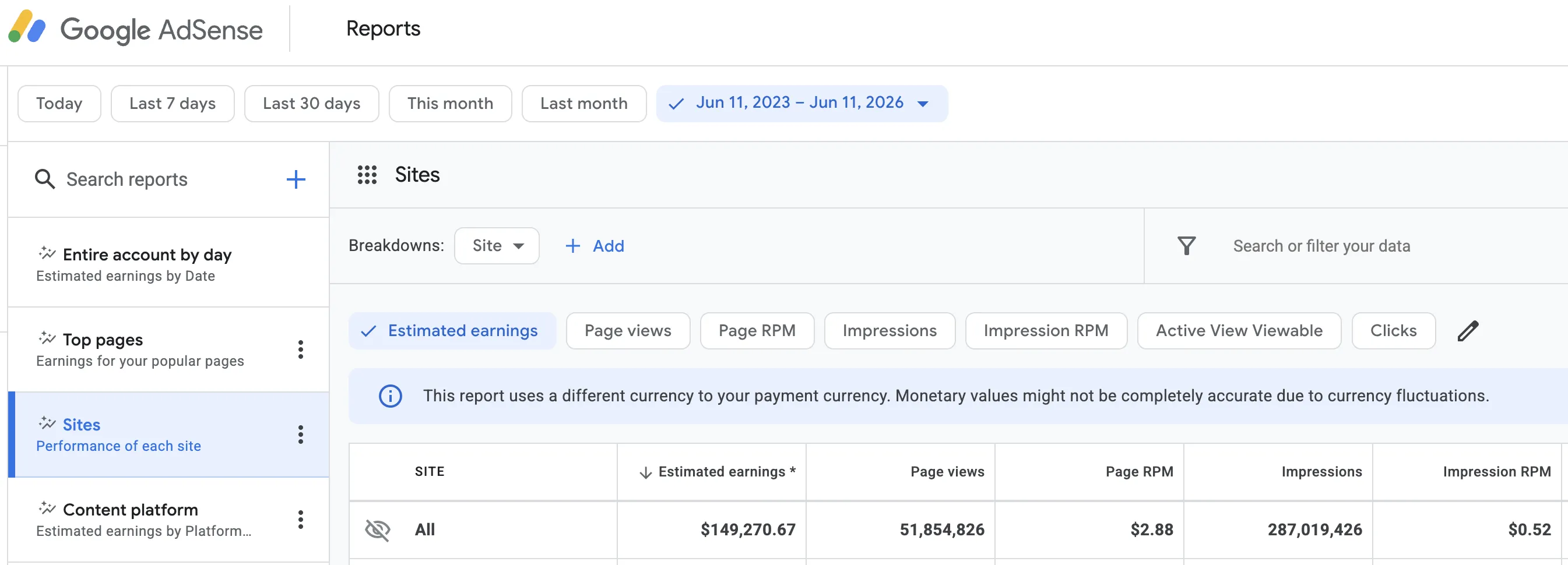
I made this with only a $2.87 Page RPM — My audience isn't from a top-tier country. US food creators routinely see RPMs 5–10x higher.
That's a monthly average of~$12,750/month
These are my personal results. They are not typical, average, or guaranteed outcomes. Your results will vary.
…and so much more!